


Beware the Auto-Renewal Trap: How Trial Software Can Drain Your Wallet
Last updated: July 10, 2025 Read in fullscreen view


 Recommended for you
- 14 Aug 2024
 From Steel to Software: The Reluctant Evolution of Japan's Tech Corporates 198/743
 - 18 Oct 2020 How to use the "Knowns" and "Unknowns" technique to manage assumptions 167/1261
- 19 Oct 2021 Software development life cycles 145/823
- 04 Oct 2021 Product Validation: The Key to Developing the Best Product Possible 133/441
- 21 Apr 2026 Vibe Coding vs. Expert Shopify Development: What AI Tools Can (and Can't) Do? 132/157
- 13 Oct 2021 Outsourcing Software Development: MVP, Proof of Concept (POC) and Prototyping. Which is better? 129/607
- 23 Sep 2021 INFOGRAPHIC: Top 9 Software Outsourcing Mistakes 127/550
- 07 Oct 2025 Case Study: Using the “Messaging House” Framework to Build a Digital Transformation Roadmap 127/207
- 18 Aug 2022 What are the consequences of poor requirements with software development projects? 123/391
- 11 Jan 2024 What are the Benefits and Limitations of Augmented Intelligence? 119/605
- 13 Dec 2020 Move fast, fail fast, fail-safe 119/460
- 01 Oct 2020 Fail fast, learn faster with Agile methodology 118/1192
- 06 Feb 2021 Why fail fast and learn fast? 116/593
- 12 Oct 2022 14 Common Reasons Software Projects Fail (And How To Avoid Them) 112/677
- 12 Aug 2024 Understanding Google Analytics in Mumbai: A Beginner's Guide 111/218
- 28 Jul 2022 POC, Prototypes, Pilots and MVP: What Are the Differences? 109/850
- 14 Mar 2024 Why should you opt for software localization from a professional agency? 102/241
- 12 May 2024 The Pros and Cons of the Creator Economy in the Age of AI: Opportunities, Challenges, and the Gray Zone with the Gig Economy 99/368
- 14 Oct 2021 Advantages and Disadvantages of Time and Material Contract (T&M) 98/994
- 31 Aug 2022 What are the best practices for software contract negotiations? 97/371
- 12 Dec 2021 Zero Sum Games Agile vs. Waterfall Project Management Methods 96/510
- 05 Sep 2023 The Cold Start Problem: How to Start and Scale Network Effects 94/292
- 28 Dec 2021 8 types of pricing models in software development outsourcing 92/526
- 05 Mar 2021 How do you minimize risks when you outsource software development? 91/424
- 05 Aug 2024 Revisiting the Mistake That Halted Japan's Software Surge 91/438
- 17 Feb 2022 Prioritizing Software Requirements with Kano Analysis 88/392
- 08 Oct 2022 KPI - The New Leadership 87/696
- 19 Oct 2021 Is gold plating good or bad in project management? 86/917
- 01 Mar 2024 (AI) Artificial Intelligence Terms Every Beginner Should Know 85/419
- 10 Nov 2022 Poor Code Indicators and How to Improve Your Code? 83/300
- 10 Dec 2023 Pain points of User Acceptance Testing (UAT) 82/543
- 06 Mar 2024 [SemRush] What Are LSI Keywords & Why They Don‘t Matter 82/284
- 01 Dec 2023 Laws of Project Management 80/395
- 12 Mar 2024 How do you create FOMO in software prospects? 76/250
- 18 Jul 2021 How To Ramp Up An Offshore Software Development Team Quickly 76/668
- 19 Apr 2021 7 Most Common Time-Wasters For Software Development 72/617
- 01 Mar 2023 Bug Prioritization - What are the 5 levels of priority? 72/301
- 04 Oct 2022 Which ERP implementation strategy is right for your business? 71/431
- 23 May 2024 Mastering AI: Sharpening the Axe in the Digital Age 69/338
- 01 May 2024 Warren Buffett’s Golden Rule for Digital Transformation: Avoiding Tech Overload 69/277
- 31 Oct 2021 Tips to Fail Fast With Outsourcing 68/459
- 05 Jan 2024 Easy ASANA tips & tricks for you and your team 61/259
- 28 Oct 2022 Build Operate Transfer (B.O.T) Model in Software Outsourcing 60/470
- 08 Jan 2024 Ask Experts: Explicitation/Implicitation and Elicitation; two commonly used but barely unraveled concepts 58/439
- 26 Dec 2023 Improving Meeting Effectiveness Through the Six Thinking Hats 54/330
- 06 Nov 2019 How to Access Software Project Size? 45/303
- What is auto-renewal and why is it risky?
- The psychological trap behind free trial software
- Shady tactics used by AI platforms like RenderForest
- Why many users lose money without knowing it
- How to cancel subscriptions and request refunds
- Third-party billing platforms you should watch out for
- Simple habits that save you hundreds every year
- Boost your digital financial literacy and stay protected
Beware of the Hidden Cost: The Auto-Renewal Trap in the Digital Age
In today’s digital world, purchasing software from international providers has become routine for both individuals and businesses. However, behind this convenience lies a financial risk that many have fallen into — especially the notorious "Auto-Renewal" trap.
The Psychological Trap After a Free Trial
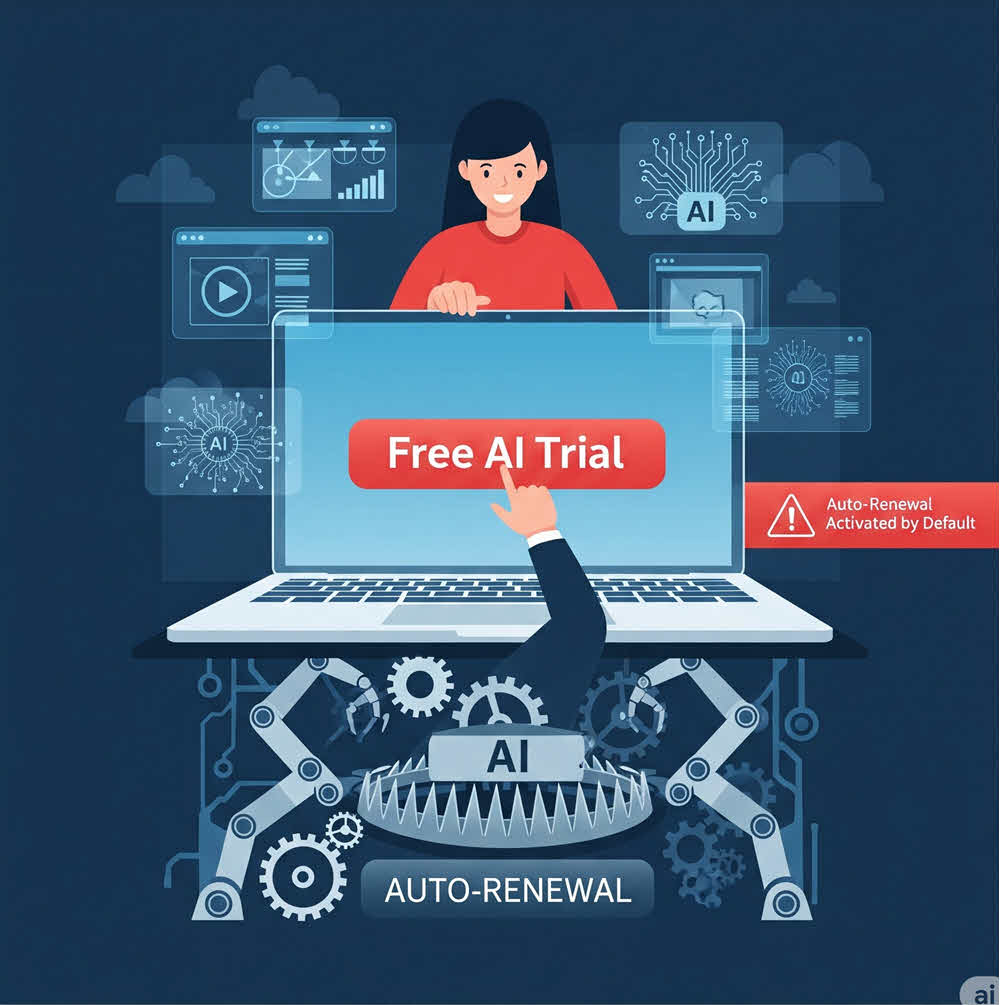
Most software nowadays offers a free or low-cost trial for 7 days, 14 days, or one month. But have you noticed that the default Auto-Renewal setting is always ON? This means that once the trial period ends, the system will automatically renew the subscription and charge your PayPal or credit card without any confirmation.
What’s more dangerous is that many users don’t even realize they’ve been charged. Why?
- No clear email notification after the trial ends
- The user interface doesn’t remind users about the upcoming renewal
- The option to turn off Auto-Renewal is buried deep, often requiring multiple steps to find
- No confirmation email is sent after canceling the subscription
Users have reported that even major AI-based platforms like RenderForest (based in Armenia) do not offer fixes for these issues. Most people only discover the charge after it’s too late.
Common Deceptive Tactics
Some software shows a “Cancel Subscription” button, but clicking it only opens a feedback form — not a real cancellation.
In some cases, even after clicking “Cancel,” Auto-Renewal stays ON after refreshing the page — either because the software intentionally ignores the action or requires an extra hidden step.
Many platforms also use third-party billing services (like Paddle, FastSpring), making it unclear which platform you’ve connected your PayPal or credit card to.
It Seems Small — But Can Lead to Bigger Losses
It often starts small — $7, $15, or $30. But if left unchecked, the software can auto-renew for 3 months, 6 months, or even a year. Some users were charged up to $120 without realizing it, and getting a refund becomes extremely difficult, especially when dealing with slow or unresponsive overseas providers.
Best Practices – How to Avoid Unnecessary Charges?
1. Regularly Check Your PayPal or Credit Card Email
- Enable payment notification alerts
- Check your transaction history at least once a week
2. Actively Request Refunds When Needed
- Email support as soon as possible after noticing the charge
- Clearly explain that you didn’t use the product; include screenshots, video evidence, or email proof
- If paid via PayPal, you can open a dispute within 180 days
3. Immediately Disconnect from Third-Party Payment Platforms
- Go to PayPal > Settings > Payments > Manage automatic payments
- Carefully review platforms like Paddle.com, FastSpring, 2Checkout, PayProGlobal, etc.
- Cancel any inactive or unfamiliar connections
 Explore more on these topics
























 Guest Blogging: The Definitive Guide
 Top Trending Topics
 Share This
 Link copied!
 Recently Updated News