


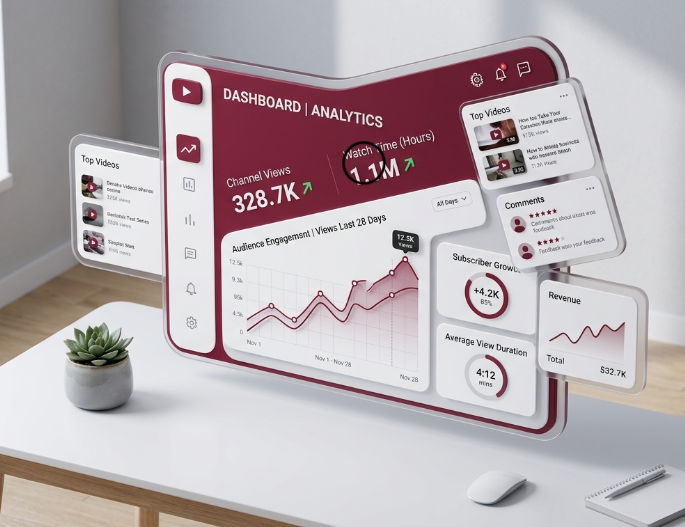


Guide to Create 2D and 3D Models
Last updated: October 18, 2025 Read in fullscreen view


 Recommended for you
- 23 Dec 2025
 Microsoft Power Automate vs. n8n: What’s the Real Difference? 206/330
 - 14 Aug 2024 From Steel to Software: The Reluctant Evolution of Japan's Tech Corporates 176/721
- 19 Oct 2021 Software development life cycles 143/821
- 13 Oct 2021 Outsourcing Software Development: MVP, Proof of Concept (POC) and Prototyping. Which is better? 127/603
- 21 Apr 2026 Vibe Coding vs. Expert Shopify Development: What AI Tools Can (and Can't) Do? 124/148
- 12 May 2026 Top 6 AI AR/VR Filter Tools for Mind-Blowing Videos and Photos in 2026 122/142
- 31 Jul 2025 Top WooCommerce Pre-Order Plugins with Countdown & Discounts 122/218
- 04 Oct 2021 Product Validation: The Key to Developing the Best Product Possible 122/430
- 07 Oct 2025 Case Study: Using the “Messaging House” Framework to Build a Digital Transformation Roadmap 121/200
- 22 Dec 2025 The Role of Automotive Software in Building Smarter Vehicles 116/158
- 10 Aug 2024 Odoo vs. Lark: A Comprehensive Comparison 108/934
- 12 Oct 2022 14 Common Reasons Software Projects Fail (And How To Avoid Them) 108/673
- 12 Aug 2024 Understanding Google Analytics in Mumbai: A Beginner's Guide 106/213
- 28 Nov 2025 Best Kentico CMS Development Practices for Agile Software Teams 105/159
- 16 Dec 2025 Reducing Cognitive Friction in Software Development: A Guide to Faster, Happier Teams 104/176
- 28 Jul 2022 POC, Prototypes, Pilots and MVP: What Are the Differences? 100/840
- 12 Dec 2021 Zero Sum Games Agile vs. Waterfall Project Management Methods 95/509
- 31 Aug 2022 What are the best practices for software contract negotiations? 95/366
- 05 Sep 2023 The Cold Start Problem: How to Start and Scale Network Effects 91/288
- 05 Aug 2024 Revisiting the Mistake That Halted Japan's Software Surge 88/435
- 05 Mar 2021 How do you minimize risks when you outsource software development? 86/419
- 06 Mar 2024 [SemRush] What Are LSI Keywords & Why They Don‘t Matter 80/282
- 01 Dec 2023 Laws of Project Management 78/393
- 18 Jul 2021 How To Ramp Up An Offshore Software Development Team Quickly 73/665
- 04 Oct 2022 Which ERP implementation strategy is right for your business? 70/430
- 01 May 2024 Warren Buffett’s Golden Rule for Digital Transformation: Avoiding Tech Overload 69/277
- 15 Aug 2025 Quantum Technology: Global Challenges and Opportunities for Innovators 60/190
- 02 Sep 2024 Toolzoon Review: Features, Benefits, and Essential Tools for Enhanced Productivity 60/301
- 17 Mar 2025 Integrating Salesforce with Yardi: A Guide to Achieving Success in Real Estate Business 58/265
- 09 Apr 2025 How to Elevate Your Social Game with AI Face Reshaping and Body Editing Tools 57/315
- 28 Oct 2022 Build Operate Transfer (B.O.T) Model in Software Outsourcing 57/467
- 29 May 2026 The Role of IoT in Modern Insurance App Development 53/63
- 25 Jun 2026 Vercel: The "Secret Weapon" for Modern, High-Performance Web Deployment 45/50
- 21 Oct 2024 Simplify Your Workflow with an AI Summary Generator 45/225
At DesignHok, we use 2D and 3D models for building, designing, and engineering. You are able to create accurate drawings with the help of CAD software. Now we will discuss how 2D and 3D models are made. We will also talk about the best CAD tools.
Introduction
2D drawings show flat views with length and width. They are used for plans and layouts. 3D models show length, width, and height. They give a real view of the design. Both are important for modern projects.
Why Use 2D Models
They are quick to make. For small jobs, 2D drawings save time and money. Many industries still use them because they are easy to read and share.
Why Use 3D Models
3D models look more real. They show the design from all sides. This helps find mistakes before building.They also make it easy to explain ideas. Clients and investors can see how the final product will look. 3D models are also used for tests and simulations.
CAD Tools for Modeling
CAD involves the making of designs with the help of computers. You use these programs to create 2D drawings and 3D models.
2D CAD programs focus on flat drawings.
3D CAD programs are used for shapes, details, and tests.Both are important for design and production.
Best CAD Programs for 2D and 3D Work.
There are many CAD tools. Here are some of the best CAD programs:
- AutoCAD – Popular for 2D and 3D work. Used in building and engineering.
- SolidWorks – Great for mechanical and product design.
- Fusion 360 – Works in the cloud. Good for product design and manufacturing.
- SketchUp – Simple and often used in architecture.
- CATIA – Used for complex designs in cars and planes.
These tools are trusted worldwide. They let users move between 2D and 3D as needed.
Best CAD Program for 3D Printing
3D printing makes models into real objects. The design must be made in a CAD tool first.
The best CAD program for 3D printing depends on the project. SolidWorks and Fusion360 are top choices for parts and machines. However, you use SketchUp and Tinkercad for making unique designs.
You must use a tool that exports files in formats including STL or OBJ. These are the ideal formats for 3D printers.
Here are some of the steps to make a 2D Model
- Start a CAD program.
- Draw lines, circles, and shapes.
- Add sizes and labels.
- Check details and save.
- Export the file.
Method to Create a 3D Model
- You should begin with a 2D sketch.
- Turn the sketch into 3D using tools like extrude.
- Add details such as holes or edges.
- Apply colors or materials if needed.
- Test the model with a simulation.
- Export for 3D printing or rendering.
Why Both Are Important
2D and 3D models work together. A 2D plan is better for builders. A 3D model is better for clients.In most cases, both are used. For example, an architect may show a 3D view to a client and give 2D drawings to the builder. In machines, engineers design in 3D but use 2D for exact sizes in production.
Conclusion
In the current age, you cannot create modern designs without 2D and 3D models. At DesignHok, we make sure that you are able to transform your ideas into a reality.
The best CAD programs improve productivity and accuracy of work. If you want to do 3D printing, then you must choose the best CAD program.
You are able to speed up your work with 2D and 3D models. Moreover, it improves accuracy and results. So, 2D and 3D models are helpful for creating clear designs and easing production.
 Explore more on these topics














04102024050214_thumb.jpg)














 Guest Blogging: The Definitive Guide

 Top Trending Topics
 Share This
 Link copied!
 Recently Updated News